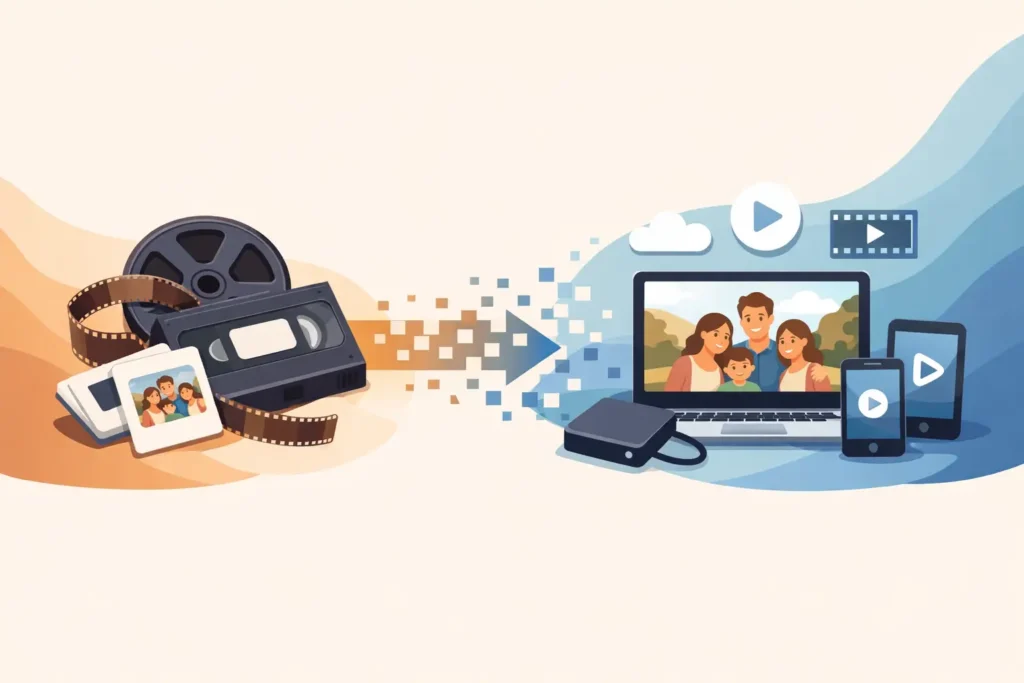
That box in the loft may hold your child’s first steps, a wedding speech from someone no longer with you, or ordinary Sunday afternoons that have become priceless with time. Video digitisation gives those recordings a practical future, turning ageing tapes and discs into formats you can watch, copy and share without relying on an old camcorder or video player.
For many families, the hardest part is not the technology. It is knowing where to begin, what format to choose and whether precious originals will be treated with care. The right conversion service should make the process straightforward while respecting that these are private, irreplaceable moments rather than just old media.
Video digitisation is the process of playing analogue or older digital media through suitable equipment and creating a digital copy. Instead of needing the original VHS player, MiniDV camcorder or Hi8 machine, you can watch the transferred footage from a USB drive, DVD or digital video file on modern devices.
The aim is preservation as well as convenience. A digital copy does not repair every imperfection already recorded on a tape. If there is grain, a tracking line, camera shake or a muffled soundtrack on the original, some of that will remain. What it does do is preserve the footage in its current state before the tape, disc or playback equipment deteriorates further.
This is especially useful for VHS, VHS-C, Hi8, MiniDV and Super 8 recordings, all of which can be difficult to view once the original equipment has been given away, stopped working or become too costly to replace. DVD and Blu-ray discs can also become unreadable through scratches, ageing or disc failure, so creating an accessible copy can be sensible for important recordings.
Magnetic tapes were never designed to last forever. Heat, damp, dust and repeated playback can all affect them, while the tape itself may weaken or become damaged over time. Even a tape stored carefully in a cupboard can suffer from age simply because the materials gradually change.
The other problem is playback. A perfectly preserved VHS tape is of little use if there is no reliable VHS machine available to play it. Heads in old video players wear down, belts perish and compatible camcorders become harder to find. Trying an unknown machine can also be a worry if a tape has become fragile or is already showing signs of damage.
There is no single expiry date for a home video tape. Some remain watchable for decades, while others develop faults sooner because of storage conditions, tape quality or heavy use. That is why it makes sense to transfer cherished footage while it can still be played, rather than waiting until a family occasion prompts a search for a recording that can no longer be recovered.
The best output depends on how you would like to use the footage after conversion. A DVD is familiar and easy to give as a keepsake, particularly for relatives who prefer watching on a television with a disc player. It can be a lovely choice for a birthday, anniversary or family-history gift.
A USB drive is often the most flexible option. It is compact, straightforward to store and can be used with many computers and compatible televisions. USB is particularly handy when several recordings are being converted and you want everything together in one place.
Digital files such as AVI, MP4 or MOV offer the greatest freedom for viewing, backing up and sharing. MP4 is widely supported on modern devices, while AVI and MOV may suit particular computers or editing software. The most useful approach for many households is to keep a digital file as the main archive and add a DVD where a physical, giftable copy is wanted.
No single format should be treated as the only safe home for your memories. A USB can be misplaced, a DVD can be scratched and a computer can fail. Once you receive your converted footage, make at least one additional copy and keep it somewhere separate. A labelled USB stored with your family documents, plus a copy on a computer or another trusted storage location, is a sensible starting point.
When you hand over a tape, you should know where it is going and who will handle it. Personal archives often contain children, relatives, family homes and events that were never intended for public viewing. Confidentiality and careful handling are not extras. They are part of the service.
VHS To DVD Ltd processes original media in-house, so treasured footage is handled by a small, accountable team rather than being passed through an impersonal bulk-processing chain. Customers can order online or get in touch by email or WhatsApp, send tapes by post, or arrange an in-store drop-off in Llanelli.
For postal orders, pack each item securely so it cannot move around in the parcel. Use a sturdy box, add padding and choose a tracked postal service for reassurance. Include your contact details and clear instructions about the output you would like. If tapes have labels, leave them in place. A note such as “Christmas 1994” or “Mum’s 60th birthday” can make the returned collection far easier to organise.
A seven-working-day turnaround target helps families plan around gifts, reunions and time-sensitive occasions. After transfer, stored footage is retained for 30 days, giving you time to check that your order has arrived and that you can access the files or discs. Replacement protection is also available for faulty discs within the stated 30-day guarantee period.
You do not need technical knowledge before sending your media, but a few simple checks can make the process smoother:
If a tape looks mouldy, has snapped tape, or has been damaged by water or heat, do not play it in a household machine to test it. Playing a compromised tape can worsen the problem or affect the equipment. Explain its condition when arranging the transfer, so it can be assessed appropriately.
The real value of digitising video is felt after the conversion. A recording that sat untouched for years can be played at a family gathering, shared with grandchildren or included in a memorial tribute. It can also answer small questions that photographs cannot: how someone spoke, laughed, moved around a room or reacted when they thought nobody was watching.
It is worth being realistic about sharing, though. Large video files may be awkward to send by message, and not every relative will use the same device. A physical DVD may still be the kindest option for one person, while an MP4 file on USB is better for another. Choosing the output around the people who will enjoy it is often more useful than choosing it around the newest technology.
Start with the tape you would be most upset to lose. Label it, put it somewhere safe and arrange its transfer while both the recording and the means to play it still exist. Giving those memories a new lease of life is a small practical job that can mean a great deal to the people who come after you.